Roadmap is like any other feature in Office 365; it must be turned on. Brian Smith – MSFT provides the core steps with turning Roadmap on. https://blogs.msdn.microsoft.com/brismith/2018/12/07/project-online-getting-started-with-roadmap/
My blog provides the steps and along with screen shots of what you can expect to see. Once “Roadmap” is turned on, the following option shows up when creating new projects or Roadmaps!
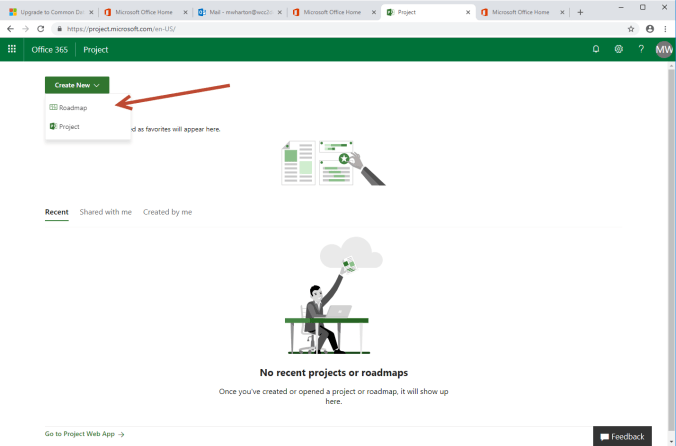
Default form for Project Online
Steps to enabled Project Roadmap:
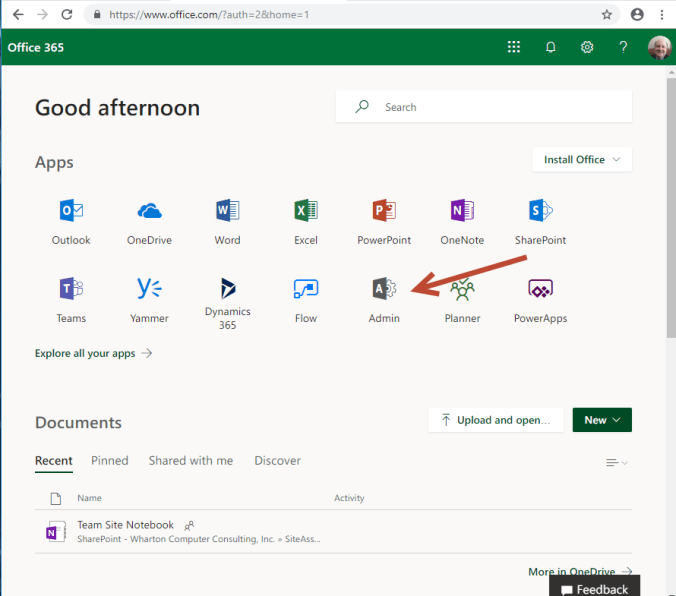
- Office 365 Admin: Log into office 365 and click on “Admin” icon. It may ask for your login credentials. https://www.office.com/?auth=2&home=1
- Settings and then “Services & addins https://admin.microsoft.com/AdminPortal/Home#/homepage
- Services & addins https://admin.microsoft.com/AdminPortal/Home#/Settings/ServicesAndAddIns
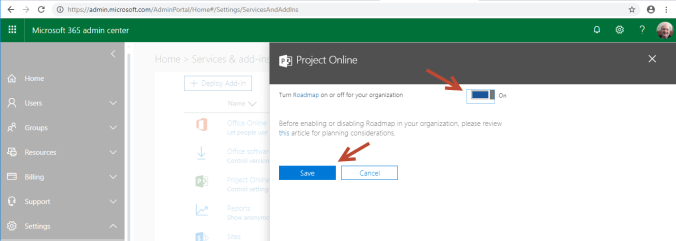
- Project Online and turn on “Roadmap” and click Save
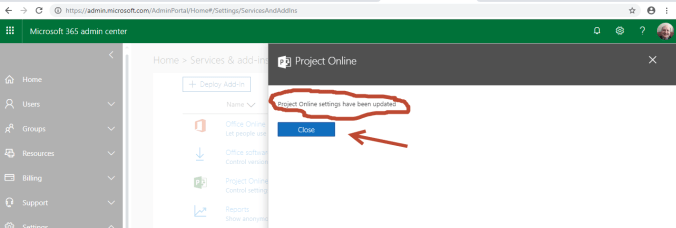
- Make a note that “Project Online settings have been updated” and click Close
- If working properly it looks like top screen.
Office 365 Startup page
Office 365 Admin Center page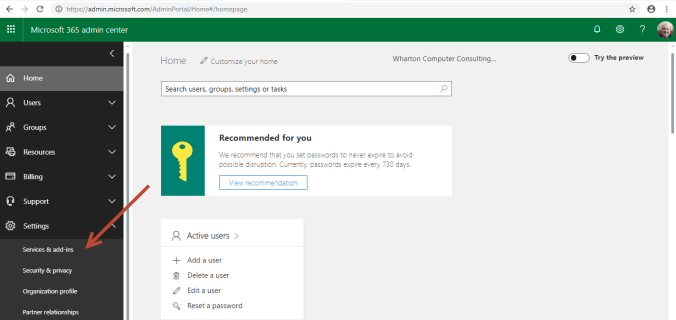 r
r
Office 365 Admin with Service & addins listing services
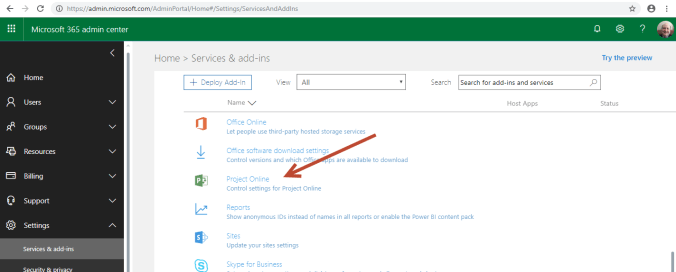
Turn on Project Roadmap
Verify option enabled and click close.
 My Project Expert